Office electronics moving starts with a split: who owns the devices, who disconnects them, and who only carries sealed hardware. A licensed household mover can transport boxed computers and monitors. That company is not your IT vendor unless the written scope says so.
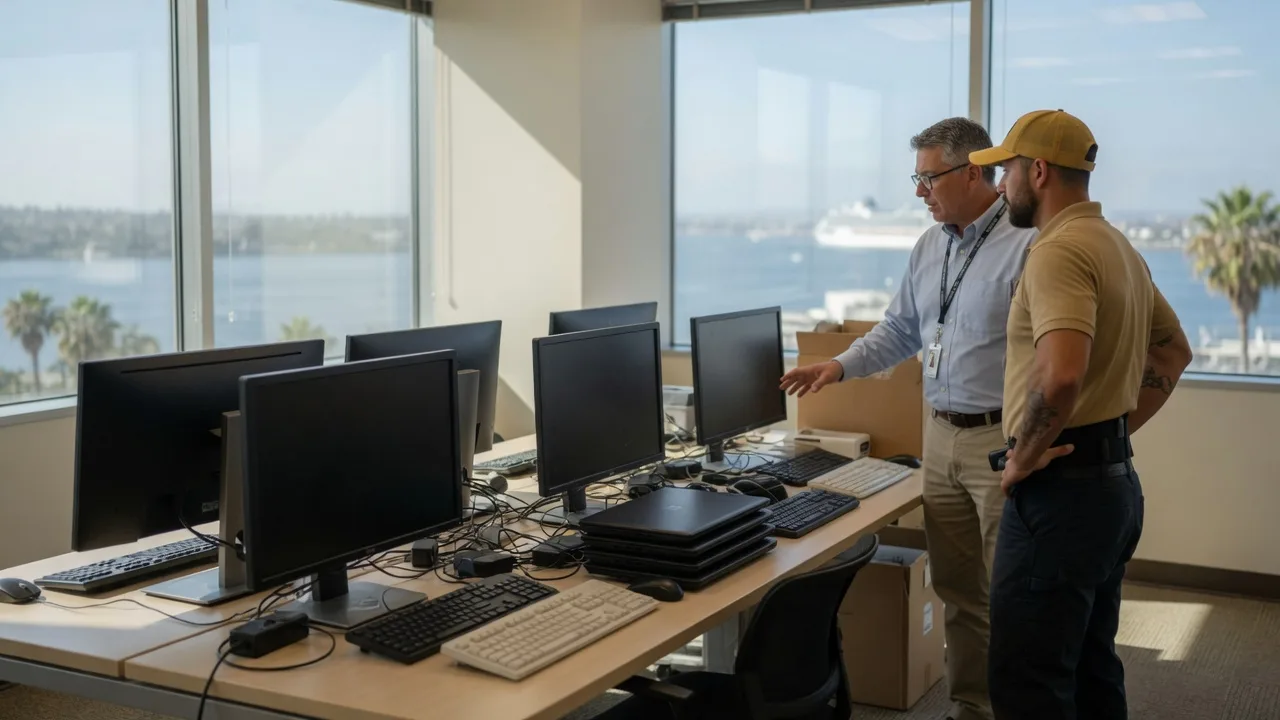
Inventory computers, monitors, and shared equipment
Build one list before anyone pulls a cable. Record each workstation, monitor, docking station, printer, conference-room display, and shared device the office actually wants moved. Note serial numbers from the asset tag or manufacturer label when they are already visible. Don’t guess a serial number.
Photograph the current desk layout, cable routes, and wall connections. Those photos are for your IT person, not for the mover’s claim file unless the mover asks for them. Keep login screens off. Don’t photograph passwords, customer lists, or badge credentials.
Mark which items stay with the landlord, which items the staff take home, and which items belong on the mover’s inventory. A downtown tower suite, a Sorrento Valley lab, and a Kearny Mesa warehouse office can share the same brand of monitor and still have different dock rules. Describe the actual suite, not a generic “office park.”
If a device is leased, confirm the lessor’s move rules before it goes on a truck. The mover can’t settle that for you.
The broader office movers guide for San Diego covers COI, weekend windows, and parking. This page is only the electronics handoff.
Separate mover tasks from IT specialist work
Write three columns: IT, mover, owner. IT or a named vendor backs up data, disconnects servers, releases wall mounts, and later reconnects the network. The licensed mover packs, pads, loads, transports, and places boxed hardware at the destination. The owner decides what is in scope.
Don’t ask a household crew to “handle the computers” as a single line. Ask whether the quote includes packing the monitors, moving the CPUs, moving printers, or only carrying boxes you already sealed. A commercial office move in the San Diego market often lands between $2,500 and $8,000 for a 10 to 25 person office, and $8,000 to $25,000 for 50 to 100 staff. Those are market bands, not a quote from this brand. Electronics packing can sit inside that job or sit as a separate line. The mover’s written estimate is the number that counts.
Servers, rack gear, and live network closets usually stay with IT until they are powered down and released. If the mover will not accept a powered device, the written terms should say so. This page does not give cybersecurity, electrical, or data-retention advice. Your IT vendor owns those decisions.
For a California-only household or office goods move, confirm the carrier through the BHGS Household Mover License Search. BHGS regulates intrastate household movers. It is not the CSLB.
Confirm building access at both offices
Electronics don’t wait in a lobby. Ask each property manager for the current loading dock hours, freight elevator reservation, certificate of insurance wording, and any floor-protection rules. Downtown and University City multi-tenant buildings often want a COI naming the building. Office parks in Sorrento Valley, Kearny Mesa, and Carlsbad may have a dock instead of curb loading. Confirm the actual building. Don’t copy another tenant’s email.
Measure the path from the suite to the dock. Record the narrowest door, the elevator cab, and any stairs. A 27-inch monitor is easy until it meets a turn on a Kearny Mesa mezzanine. Share those measurements with the mover and with IT, because wall-mount removal can change the dimensions.
If public curb space is needed in the City of San Diego, the city, not the mover, sets parking enforcement. Ask the property manager which curb the building expects you to use. Don’t treat a yellow commercial loading zone as a reserved personal space.
The commercial office moving service page is the booking path when the whole office is moving, not just a closet of gear.
Plan labeling without exposing company data
Label the outside of a carton with a destination room and an internal asset code. Don’t write employee names, customer names, IP addresses, or “server, do not reboot” on a box that will sit on a dock. Keep a private key that maps codes to devices. That key stays with the office manager, not on the truck.
Bag cables with the same code. Photograph the bag, not the contents of a screen. If a device holds records the company can’t replace, keep it in the office manager’s custody and move it in a staff vehicle. The mover’s inventory should not become a data map.
Ask the mover how it records high-value electronics on the inventory. Interstate household-goods rules treat articles over $100 per pound as extraordinary value when that federal regime applies, and those articles need a written listing. California-only Max 4 tariff figures could not be confirmed here, so no California valuation number is stated. Ask the booked mover which regime covers your two addresses.
A retail store move has a different floor plan. Don’t reuse a store checklist as an electronics inventory.
Compare the same electronics scope in writing
Send every candidate the same list: devices, who disconnects them, who packs them, destination rooms, dock hours, and excluded work. If one company is quoting “office move” and another is quoting “boxed monitors only,” you are not comparing office electronics moving. You are comparing two jobs.
Ask the mover to put these items in writing:
- The device list used for the estimate
- Packing, padding, and placement included or excluded
- Who supplies cartons and anti-static materials
- Dock, elevator, and COI conditions the quote assumed
- What happens if IT is late releasing a rack
- The legal company name and household mover license details
Read BHGS consumer information before you sign a California household-goods agreement. For a shipment that crosses a state line, use FMCSA’s Protect Your Move tools.
Master Movers San Diego matches businesses with independent licensed movers. The brand does not unplug, configure, insure, or transport the equipment.
When to call us
Call when the office has a mixed electronics list and you need a licensed mover for the physical carry. Call (858) 400-4069 and we’ll connect you with a permitted local mover.